Notifications
Notifications help you receive task updates without keeping the page open all the time.
Supported channels
The channels visible on the page are the channels currently enabled. Common options include:
| Channel | Identifier | Notes |
|---|---|---|
| DingTalk | DINGTALK | Good for group-based notifications |
| Discord Webhook | DISCORD | Pushes results to your own channel |
| Discord Bot | DISCORD_BOT | Lets the bot mention you in a notification server |
| Telegram Bot | TELEGRAM_BOT | Sends updates through Telegram |
General binding flow
- Enter the cdkey and validate it successfully.
- Open notification settings.
- Choose a channel.
- Complete the binding steps shown on the page.
- Save the notification settings.
How to bind each channel
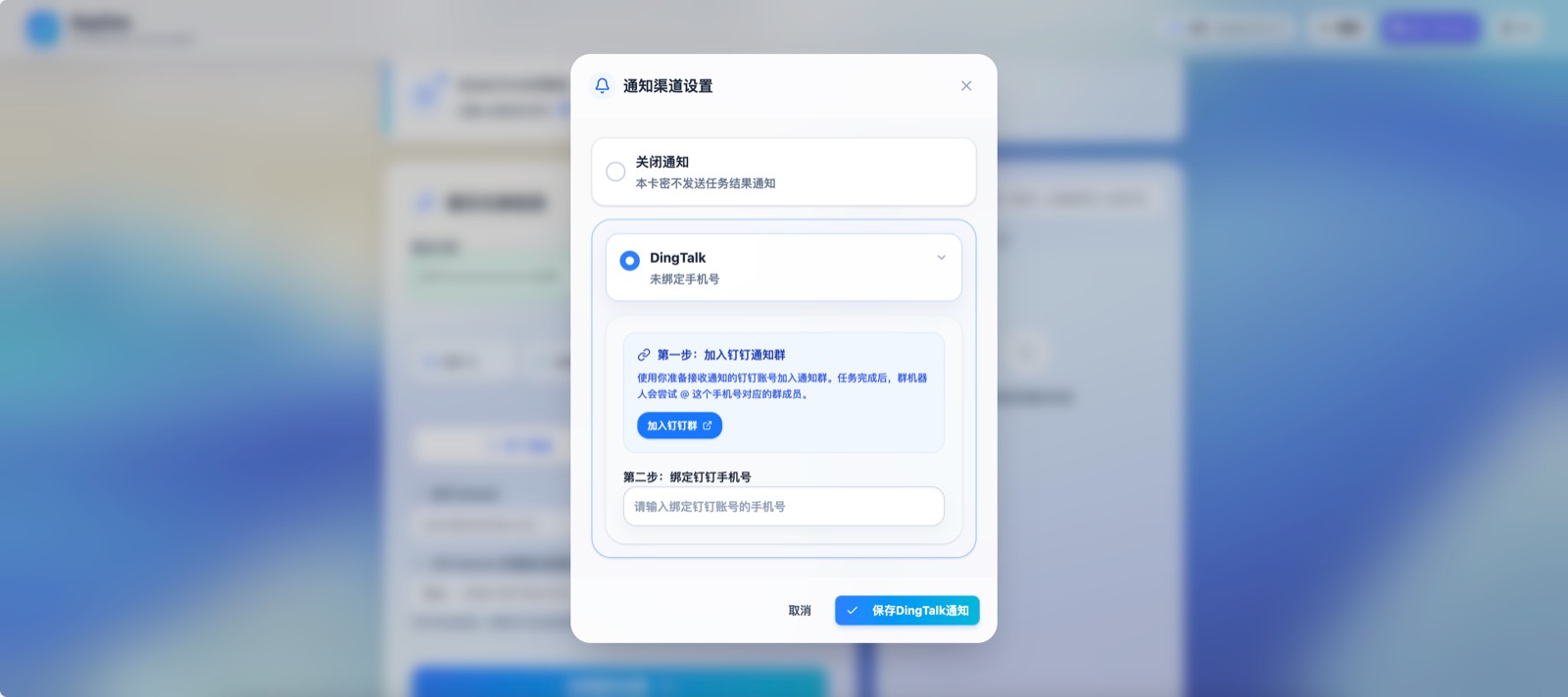
DingTalk
- Join the DingTalk notification group provided by the admin.
- Enter the phone number bound to your DingTalk account.
- Save the settings.
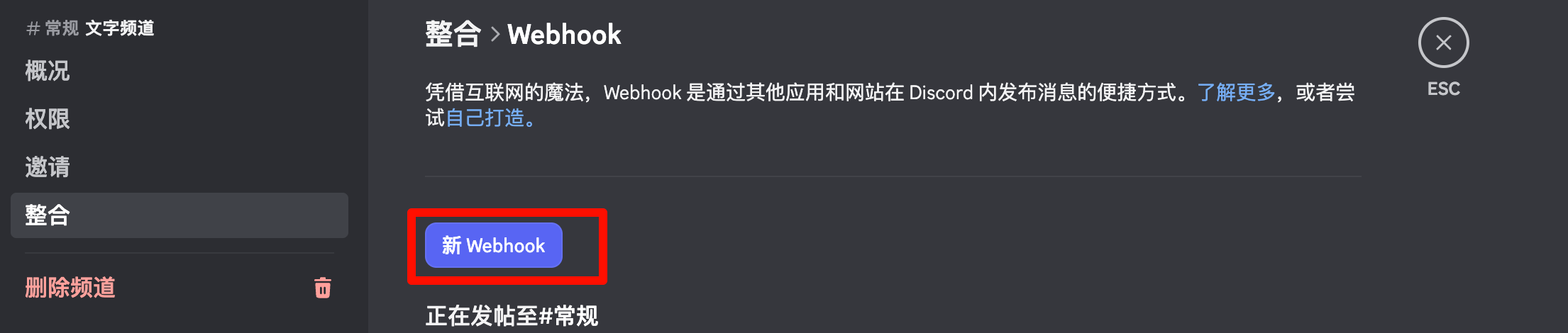
Discord Webhook
- Create an Incoming Webhook in your own Discord server or private channel.
- Paste the Webhook URL into the notification form.
- Save the settings.
Discord Bot
- Join the Discord Bot notification server provided by the admin.
- Paste your Discord user ID or
<@user>. - Save the settings.
Telegram Bot
- Open the Telegram Bot link shown on the page.
- Send
/startin Telegram. - Return to the page and save Telegram notifications.
When notifications usually arrive
- Task success
- Task failure
- Returned URL or final result
Notes
- If a channel does not appear on the page, it is not enabled right now.
- If a channel has been disabled in the backend, switch to another one or turn notifications off.